Big screen countdown
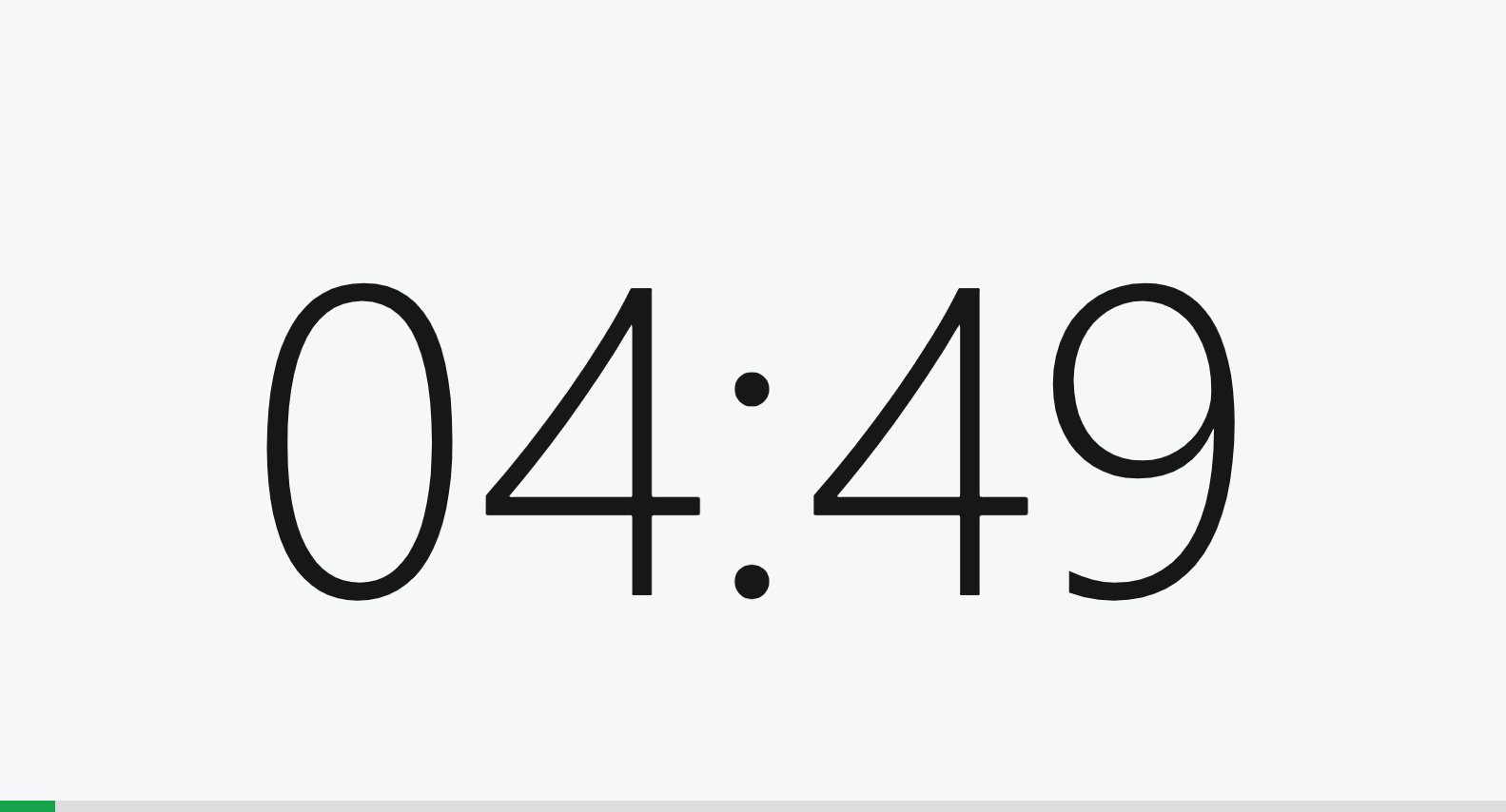
Opens full screen on the second display. Turns amber, then red, then counts the overtime.

Stage timer for Windows
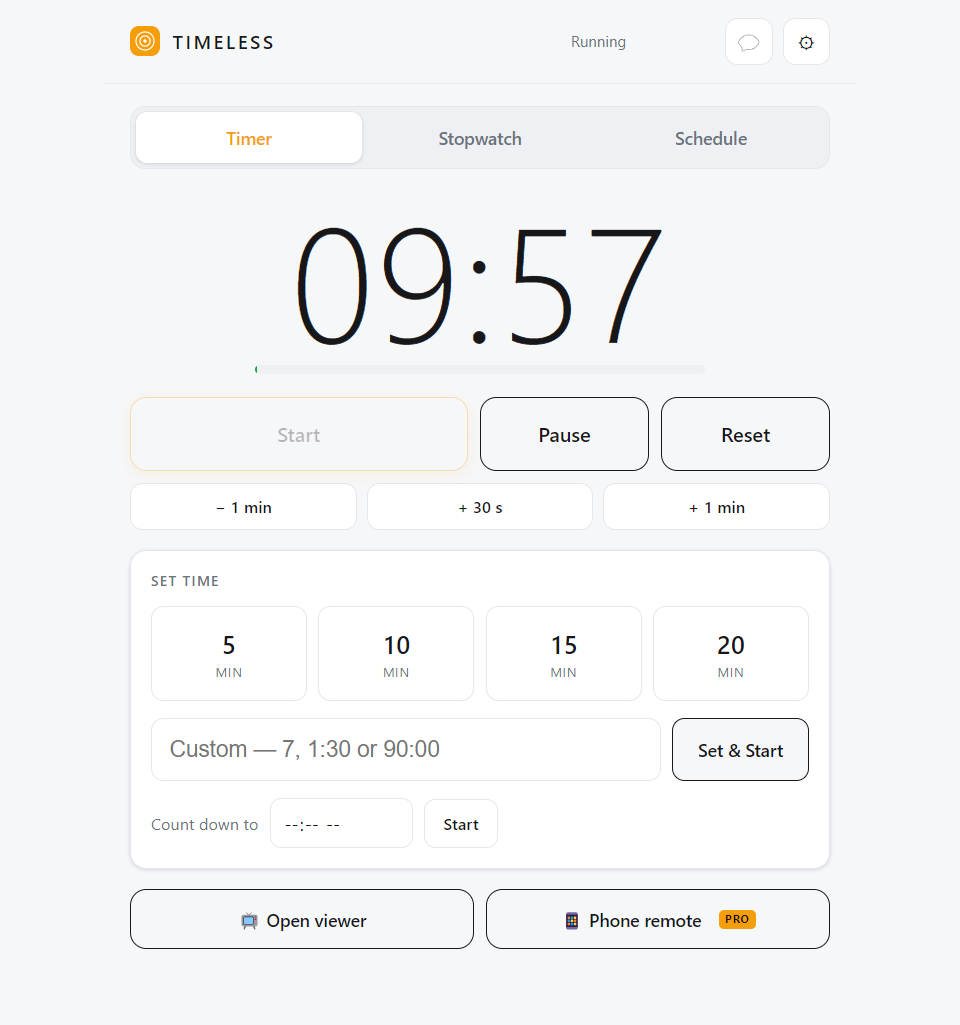
Run it on your laptop. Speakers see a big, clear countdown on the TV or projector.
Windows 10 & 11 · Version 2.3.1 · Free forever. Pro is a one-time purchase.
Try 1 min to see the screens turn amber, then red, then count the overtime.
Set up in a minute. Built for church media teams, conferences, schools and meetings.
Opens full screen on the second display. Turns amber, then red, then counts the overtime.
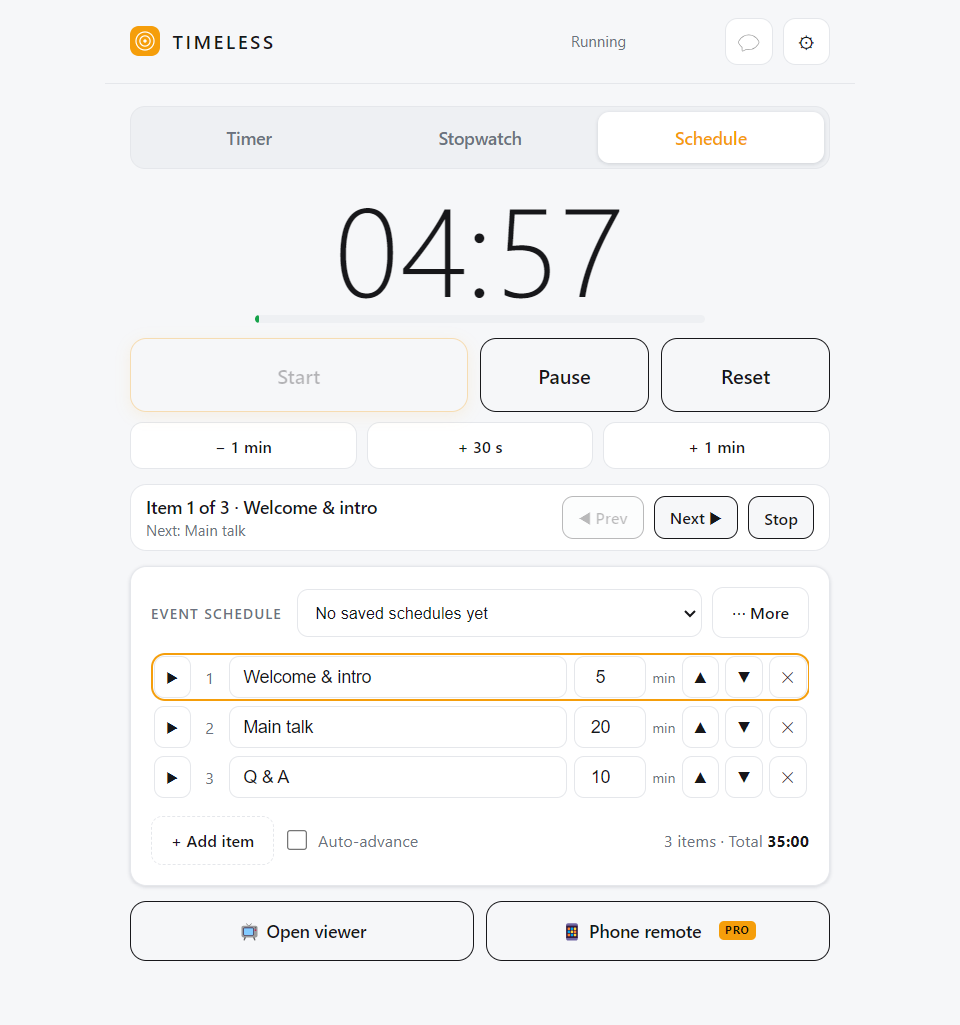
Build the order of service or agenda. Count down to the start time, then items run one after another.
See at a glance if the event is running late, and when it will really finish.
Put “Wrap up”, “5 minutes” or your own words on screen. Flash to get attention, or black out the screen.
Scan a QR code and control the timer from your phone. A view-only link turns any tablet into a lectern timer.
Works offline and recovers after a crash or sleep. Licence checks never interrupt a running timer.
The controls stay on your laptop. The audience screen shows nothing but the countdown.
Timeless runs entirely on your laptop. The phone remote uses your local Wi-Fi, so it keeps working when the venue internet doesn’t.
Start free. Upgrade when you need full events, or get an Event Pass for one-off events.
forever
one-time · 1 computer
one-time · 3 computers
7 days · 1 computer
| What you get | Free | Pro |
|---|---|---|
| Timer, stopwatch, audience screen | ✓ | ✓ |
| Warnings, overtime, chimes | ✓ | ✓ |
| Quick messages, flash, blackout | ✓ | ✓ |
| Schedule items | 3 | Unlimited |
| Countdown to event start · ahead/behind | — | ✓ |
| Save, import & export schedules | — | ✓ |
| Phone remote, speaker view, Stream Deck | — | ✓ |
| Your own messages, logo, fonts & colours | — | ✓ |
| Run sheet & after-event report (PDF) | — | ✓ |
Individual and Team include every 2.x update. Prices in US dollars; tax added at checkout where required. 7-day refund policy.
Quick answers. Still stuck? Email us.
Yes. Windows shows this for new apps from small makers until it gets to know them. Click More info, then Run anyway.
It’s shown on the thank-you page and emailed to you straight away. In Timeless, open Help → Timeless Pro…, paste the key and click Activate. You need internet once; after that Timeless works offline.
On the old computer: Help → Timeless Pro… → Remove from this computer. Then activate on the new one. Lost or broken laptop? Email us and we’ll free it for you.
No. The timer, schedules and audience screen all work offline. The phone remote uses your local Wi-Fi only. Internet is needed just once, to activate Pro.
It unlocks every Pro feature on one computer for 7 days from purchase, so buy it close to your event. If it ends while a timer is running, Timeless finishes the session first.
If Timeless Pro isn’t right for you, ask for a refund within 7 days of purchase. See the refund policy.
Free forever. Pro is a one-time purchase.
Nothing to install. Scan the QR code in Timeless to use your phone as a remote or speaker view.
The first time you open it, Windows may say “Windows protected your PC”. Click More info, then Run anyway.